Where to Calculate Post-Tax Salary Hike Amounts
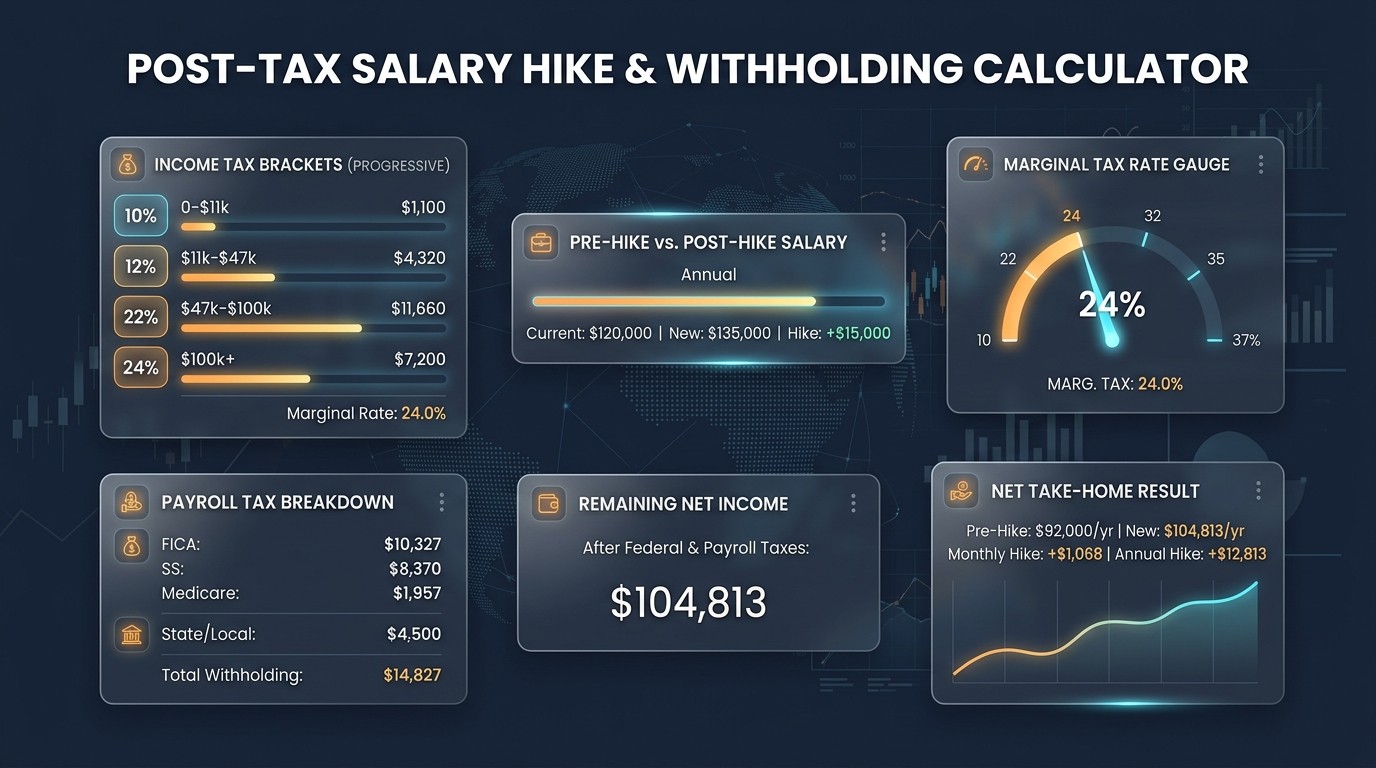
Knowing where to calculate post-tax salary hike amounts shows what a raise really adds to your take-home pay. A gross hike looks impressive, but income tax, FICA, and deductions shrink the net increase. Several tools can estimate the after-tax amount, from an online paycheck calculator to your employer's payroll portal. Each one offers a different balance of speed, detail, and accuracy. Choosing well helps you plan monthly expenses around the real raise. This guide compares the main options and ends with a quick reference chart.
Why Post-Tax Hike Amounts Matter More Than Gross
A raise is announced in gross terms, yet bills are paid from net pay. Employers withhold federal tax, state tax, and FICA from every paycheck, so the post-tax hike is always smaller than the headline increase. Calculating the after-tax amount early helps you decide on savings, rent, and loan payments before the first raise paycheck arrives.
Understanding Gross Hike, Tax, and Net Increase
The gross hike is the difference between your new salary and old salary. From that increase, income tax withholding, Social Security, and Medicare are removed, and pre-tax or post-tax deductions may change too. What remains is the net increase in take-home pay. Compare net pay before and net pay after the raise to find the true post-tax hike.
Online Post-Tax Salary Hike Calculators
An online paycheck calculator estimates take-home pay after federal, state, and local taxes. Enter your salary, pay frequency, filing status, and deductions, run it once with your old salary and once with the new salary, then subtract. Many calculators serve both salary and hourly jobs. They are fast and free, yet remain estimates, so check which tax year each tool uses.
Employer Payroll Portals and Salary Slips
Your employer's payroll portal holds the most accurate withholding data, including your W-4 choices, benefit deductions, and year-to-date totals. After the first raise paycheck, your salary slip shows the exact net amount. Compare it with the previous pay stub to measure the actual post-tax hike. If numbers look wrong, ask payroll or HR to review your withholding.

Official Government Income Tax Calculators
Official sources help you check tax rules directly. In the United States, federal income tax rates run from 10 percent to 37 percent, and your W-4 guides employer withholding. The IRS also offers a Tax Withholding Estimator, and most state tax agencies publish guidance. These government tools are reliable but need detailed inputs, so keep your income and deduction records nearby.
Where to Calculate Post-Tax Hike Amounts
| Tool | Best For | Main Limitation |
|---|---|---|
| Online paycheck calculator | Fast net estimates | Estimates only |
| Employer payroll portal | Actual withholding data | Needs a processed paycheck |
| Salary slip | Verified net amount | Shows past pay only |
| Official tax estimator | Rule accuracy | Needs detailed inputs |
| Spreadsheet template | Custom scenarios | Manual tax setup |
| Mobile or banking app | Quick checks | Assumptions vary |
Spreadsheet Templates for Post-Tax Scenarios
A spreadsheet lets you model several raise scenarios side by side. List gross pay, subtract pre-tax deductions, apply tax brackets and FICA rates, then deduct post-tax contributions. Compare the net result before and after the hike. Spreadsheets offer full control, but you must update every tax rate, bracket, and limit yourself, which makes them error-prone for beginners.
Mobile Apps and Banking Tools for Take-Home Pay
Mobile apps and banking tools give quick take-home estimates during job offers or appraisal meetings. Many store multiple scenarios and adjust for location and pay frequency. Confirm which tax year and deductions the app assumes. Treat the result as a fast preview, then verify it with a payroll portal or pay stub once the raise takes effect.
What Inputs You Need Before Calculating Net Hike
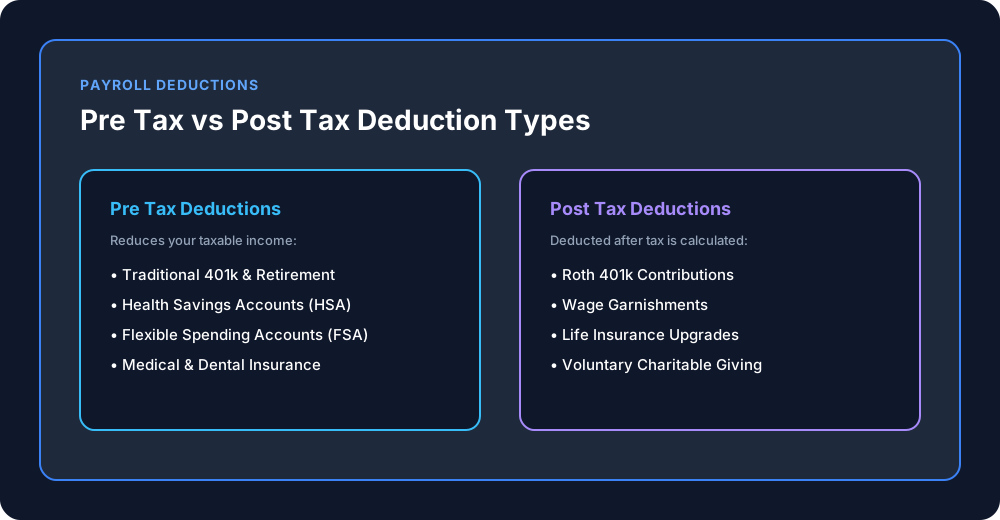
Prepare your old salary, new salary, pay frequency, filing status, and dependents. Add pre-tax deductions such as 401(k), HSA, FSA, and health insurance, plus post-tax deductions like Roth 401(k) contributions. Include state and local taxes. Social Security is 6.2 percent up to the wage cap, and Medicare is 1.45 percent, so complete inputs give a reliable net hike estimate.
Why Post-Tax Results Are Only Estimates
A calculator works only from the details you enter. Pay frequency, additional withholding, Additional Medicare tax, and mid-year W-4 changes can all shift your actual paycheck. A larger raise may also move part of your income into a higher tax bracket. Treat every post-tax figure as an estimate, and consult a tax professional for complex situations.
Quick Reference Chart for Post-Tax Calculation Tools
The chart above compares each tool by use, strength, and limitation. Use an online calculator for speed, a spreadsheet for custom scenarios, and your payroll portal for verified figures. When accuracy matters, confirm the estimate against your first post-raise salary slip. This checklist keeps your post-tax hike calculation grounded in reliable data.
Conclusion
The right place to calculate post-tax salary hike amounts depends on how precise you need to be. Use an online calculator or app for quick estimates, a spreadsheet for custom scenarios, and your payroll portal or salary slip for confirmed figures. Enter complete inputs, check the tax year, and remember that every result is an estimate. Verify it after your first raised paycheck, and ask a tax professional when unsure.