Where to Check Real-Time Pay Raise Calculations
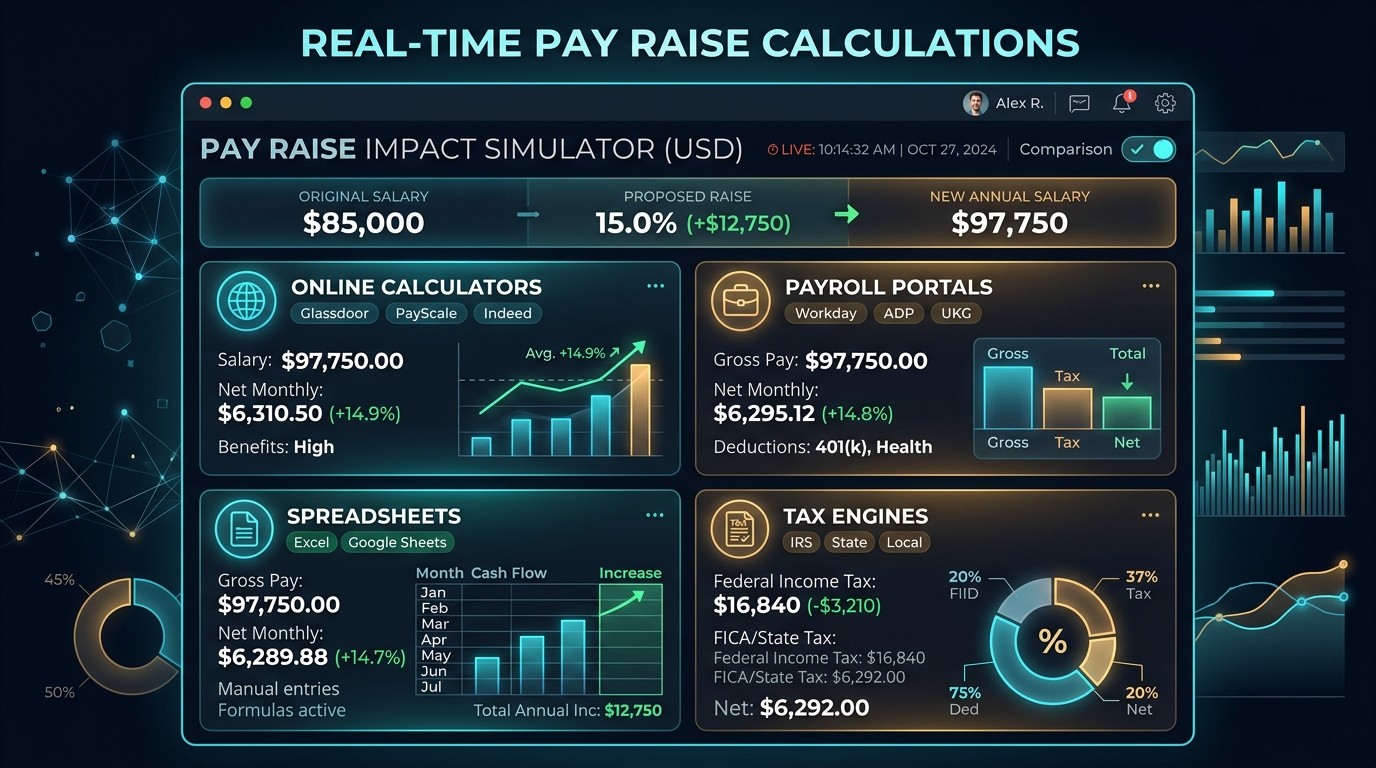
Knowing where to check real-time pay raise calculations helps you see your true earnings before the next paycheck arrives. A raise changes your gross pay, but taxes, withholdings, and deductions decide what reaches your bank account. Several tools can estimate this take-home pay within seconds, from an online salary calculator to your employer's payroll portal. Each option suits a different need, whether you want a quick estimate or an exact pay stub figure. Choosing the right source avoids budgeting mistakes after a pay increase. This guide compares them and includes a quick reference chart.
Why Real-Time Raise Calculations Matter
A pay raise looks simple on paper, yet your net income depends on federal tax, state tax, and benefit deductions. A real-time calculation shows the updated paycheck immediately, so you can adjust your budget before payday. It also helps you check whether the raise truly improves your monthly cash flow, rather than only your headline salary.
Online Salary Hike Calculators for Instant Results
An online salary calculator performs the gross-to-net calculation, and some tools, such as the ADP calculator, estimate take-home pay in all 50 states. Enter your new salary, pay frequency, and filing details, and the tool returns an instant estimate. Such tools give general guidance only, so treat the results as a preview. They work best for comparing raise scenarios quickly before you negotiate.
Payroll Software and HR Portals From Your Employer
Your employer's payroll system holds the most accurate data, including your W-4 selections, benefit elections, and garnishments. Many HR portals show your pay stub and year-to-date totals after each payroll run. If a figure looks wrong, contact your HR department, since honest mistakes can usually be fixed there. This source confirms the actual raise, not just an estimate.
Spreadsheet Templates for Custom Raise Scenarios
A spreadsheet lets you build your own raise calculator and test several what-if scenarios. Start with gross pay, multiply by the number of pay periods to find annual income, then subtract taxes and deductions. For example, $1,500 per week times 52 equals $78,000. Spreadsheets offer flexibility, but you must enter and maintain every tax rate correctly yourself.
Mobile Apps for Quick Salary Checks
Mobile apps make salary checks convenient, especially during job offer talks or appraisal meetings. Many apps estimate net pay from your salary, location, and filing status, and some store several scenarios for comparison. Check which tax year the app uses, and confirm its assumptions about deductions. Treat any app result as a quick estimate rather than a final figure.
Where to Check Pay Raise Calculations
| Tool | Best For | Main Limitation |
|---|---|---|
| Online salary calculator | Instant estimates | General guidance only |
| Employer payroll portal | Actual pay data | Access depends on employer |
| Spreadsheet template | Custom scenarios | Manual setup required |
| Mobile app | Quick checks on the go | Assumptions vary |
| Official tax estimator | Withholding accuracy | Needs detailed inputs |
| Pay stub | Verifying real figures | Shows past pay only |
Government and Official Tax Calculators
Official tools help you set accurate tax withholding after a raise. In the United States, the IRS offers a Tax Withholding Estimator, and your W-4 form controls how much federal income tax is withheld. Your state tax agency may publish similar resources. These government sources are reliable for tax rules, though they require more detailed inputs than a simple online calculator.
What Inputs You Need Before Using Any Tool
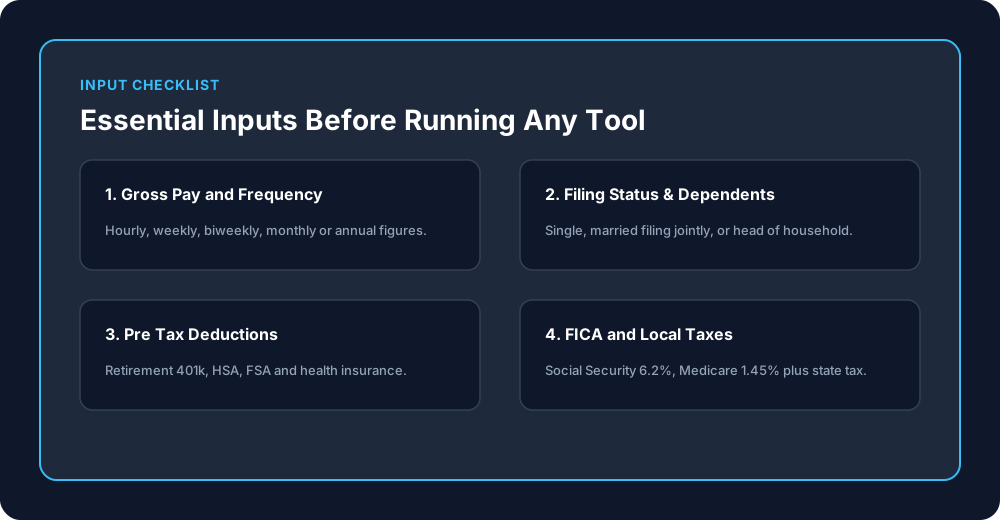
Gather your new gross salary, pay frequency, filing status, and number of dependents. Add pre-tax contributions, such as health insurance or retirement savings, plus any post-tax deductions and wage garnishments. Include state and local taxes too. Social Security is 6.2 percent and Medicare is 1.45 percent of pay, so accurate inputs produce a trustworthy net income estimate.
How to Spot Unreliable or Outdated Calculators
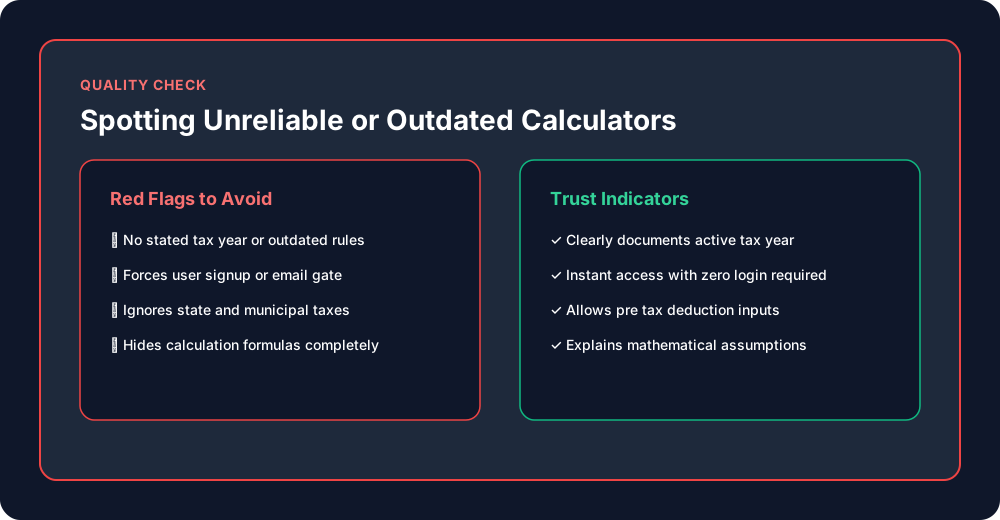
Warning signs include no stated tax year, missing state options, and no way to enter pre-tax deductions. Vague disclaimers or requests for sensitive personal data also deserve caution. A trustworthy calculator explains its assumptions and states that it offers estimates. If the rates look old, compare them with current official tax tables before relying on the result.
Why Even Real-Time Results Are Only Estimates
A calculator works only from the details you enter. Tools such as the ADP calculator warn that results are general guidance and should not replace advice from a tax professional or accountant. Wage garnishments, Additional Medicare tax, local taxes, and benefit changes can all shift your actual paycheck. Compare the estimate with your first pay stub after the raise.
Quick Reference Chart for Pay Raise Calculation Tools
The chart above summarizes each tool, its best use, and its main limitation. Use an online calculator for speed, a spreadsheet for custom scenarios, and your payroll portal for verified figures. When accuracy matters, combine two sources and confirm them against your pay stub. This checklist keeps every raise calculation grounded in reliable data.
Conclusion
The best place to check real-time pay raise calculations depends on your goal. Use an online calculator or mobile app for quick estimates, a spreadsheet for custom scenarios, and your employer's payroll portal for confirmed figures. Enter accurate inputs, watch for outdated tools, and remember that every result is an estimate. Always compare it with your next pay stub, and consult a tax professional whenever your personal situation feels complicated.